
💡 Direct answer: A recertification workflow should calculate the renewal window, notify the right person, verify eligibility, control purchase and assessment access, record completion or approval, issue a new credential, and preserve the full relationship to the previous credential.
Many renewal processes automate reminders but leave the important decisions manual. A learner receives a link, buys the wrong product, takes an assessment before meeting a requirement, or renews against an expired record that staff cannot confidently identify.
The solution is a stateful workflow. Every step should depend on the credential record and explicit renewal rules.
Define the credential lifecycle first
Use distinct states with plain-language meanings:
- Active
- Renewal window open
- Renewal in progress
- Evidence pending
- Eligible for assessment
- Renewal approved
- Renewed
- Expired
- Suspended
- Revoked
Do not use one generic “complete” field to represent several different decisions. Store timestamps, reasons, and the rule version behind every material transition.
Calculate renewal windows from authoritative dates
The platform should know:
- Credential issue date
- Credential expiry date
- Earliest renewal date
- Final renewal date
- Grace period, if any
- Required continuing education or evidence
- Required payment
- Reassessment or approval rules
Compute the window from these values. Do not rely on a date copied into a reminder list.
Send reminders that reflect the current state
A reminder should be generated only when the learner is still eligible and the action remains outstanding. Record the template, channel, recipient, time, and delivery result.
Use separate messages for:
- Renewal window opening
- Action required
- Approaching expiry
- Evidence missing
- Payment received
- Assessment available
- Renewal confirmed
- Credential expired
Stop or change the sequence as soon as the state changes.
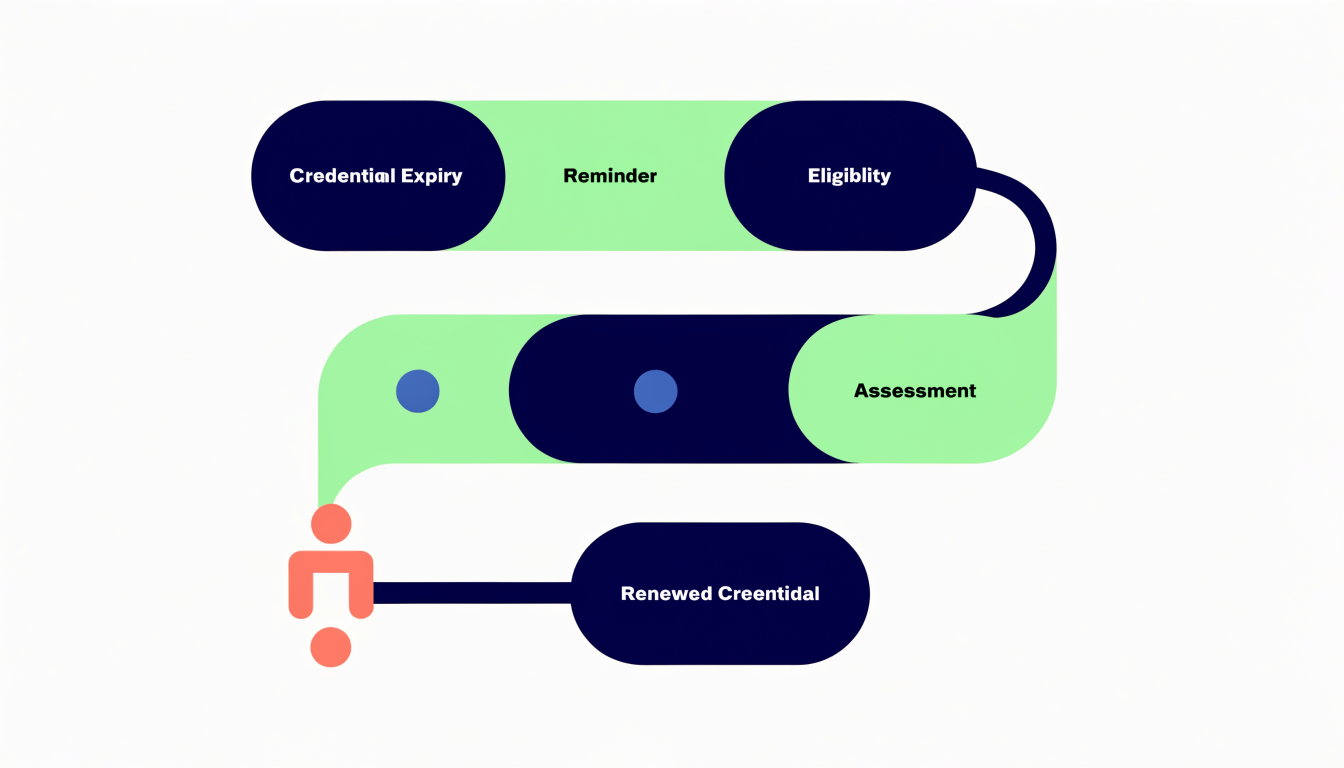
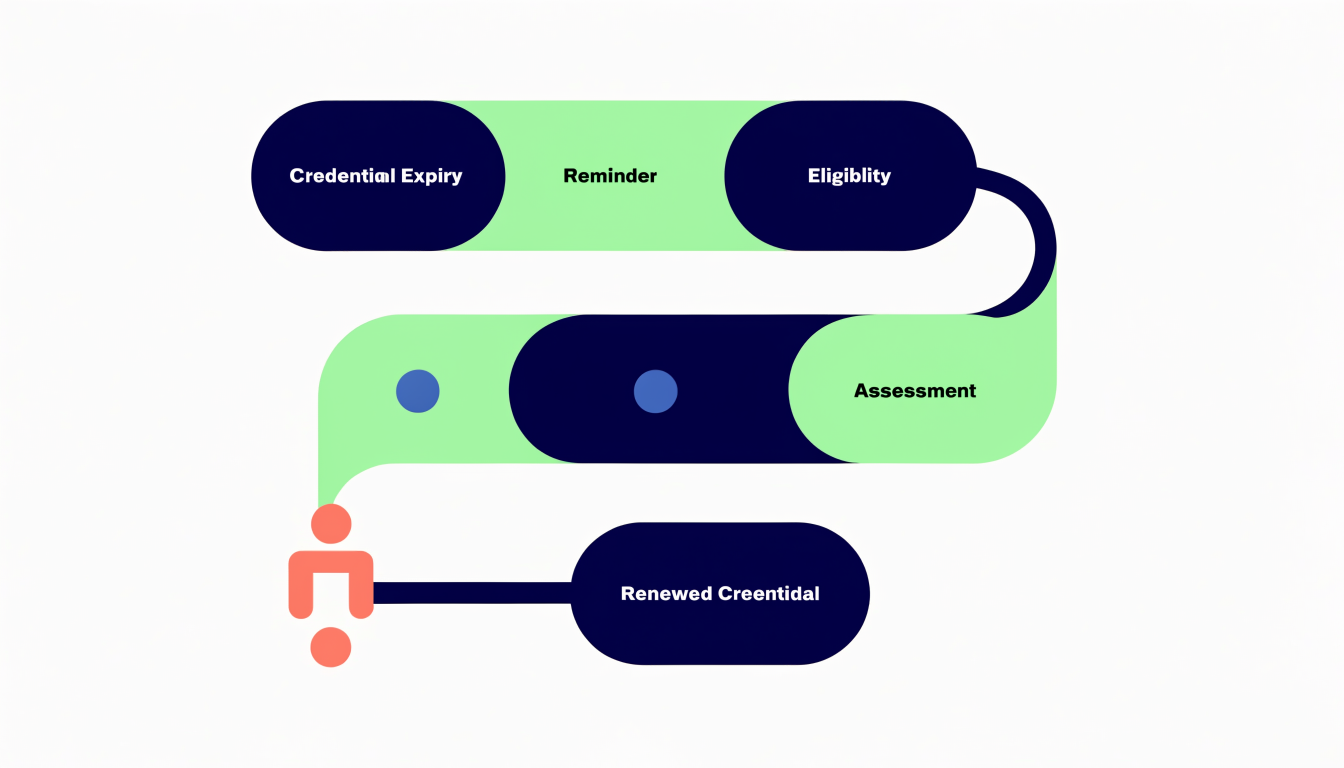
The correct Mermaid workflow
Text version of this workflow
The platform monitors expiry, verifies eligibility, controls renewal access, records the required outcome, and issues a linked replacement credential.
- 1. Monitor credential expiry → 2. Open renewal window
- 2. Open renewal window → 3. Notify credential holder
- 3. Notify credential holder → 4. Eligibility confirmed?
- 4. Eligibility confirmed? → 5. Request evidence or review (No)
- 5. Request evidence or review → 4. Eligibility confirmed?
- 4. Eligibility confirmed? → 6. Allow payment and renewal access (Yes)
- 6. Allow payment and renewal access → 7. Complete assessment or approval
- 7. Complete assessment or approval → 8. Issue linked renewed credential
- 8. Issue linked renewed credential → 9. Preserve audit history
Every statement is on its own line and ends with a semicolon, which prevents the front-end parser from treating the entire chart as one instruction.
Verify eligibility before checkout
A public renewal product link can bypass rules. Instead, resolve the credential first and evaluate:
- Current credential status
- Identity match
- Renewal window
- Outstanding sanctions or conditions
- Required learning or practice evidence
- Prior renewal attempts
- Product and price eligibility
- Organization sponsorship or approval
Only then should the platform create controlled access to payment or assessment.
Keep payment separate from eligibility
Payment confirms a commercial event; it does not prove the learner is entitled to a renewed credential. Store payment status and renewal status separately.
A verified payment can advance the workflow to the next permitted stage. It should not issue the credential unless every required condition is satisfied.
Issue a new record, not an overwritten date
When renewal succeeds:
- Close the renewal attempt with its outcome.
- Create a new credential record.
- Link it to the prior credential.
- Store the applicable rule version and evidence.
- Set the new issue and expiry dates.
- Preserve the previous credential unchanged.
- Notify the holder and authorized organization contact.
This gives auditors and support staff a complete chain.
Design the exception paths
Plan for:
- Learner cannot be matched
- Credential number is missing
- Renewal window is closed
- Evidence is incomplete
- Payment succeeds but access fails
- Assessment completes but the result is delayed
- Duplicate payment
- Manual extension
- Appeal or review
- Refund after access
- Credential suspended during renewal
Each exception needs an owner, visible status, reason, and safe resolution action.
Operational checklist
- Define every credential and renewal state
- Store authoritative issue and expiry dates
- Version eligibility rules
- Record notification history
- Resolve the credential before allowing purchase
- Make payment processing idempotent
- Control assessment access
- Separate completion from approval
- Link new and previous credentials
- Preserve evidence and decision history
- Reconcile failed integrations
- Report upcoming expiries and unresolved attempts
Frequently asked questions
When should renewal reminders begin?
The policy should define the opening window based on credential type and risk. The system should calculate it automatically from the authoritative expiry date.
Should an expired credential still be renewable?
Only if the program’s policy allows a grace or reinstatement path. Treat that as a distinct rule, not an informal administrator exception.
Can payment automatically renew a credential?
Usually payment should only advance the commercial state. Issue the credential after all learning, evidence, assessment, and approval requirements are confirmed.
How do we stop the wrong person buying a renewal?
Require the user to authenticate, resolve an eligible credential, and receive a controlled renewal entitlement before checkout.
Should the renewed credential overwrite the old record?
No. Create a new linked credential and preserve the previous record, dates, evidence, and status.
What should administrators monitor?
Upcoming expiry volume, reminder delivery, eligibility failures, unpaid attempts, access failures, overdue evidence, assessment outcomes, and credentials awaiting issuance.
Make renewal a governed lifecycle
A good recertification workflow reduces administration without removing control. Automation should enforce policy, surface exceptions, and preserve evidence.
Request a recertification workflow demonstration from Enrolius.